In the spirit of building what you use yourself, I built Quay. It’s a menu bar app that one-click syncs local folders with GitHub. I wanted an easy way to update my websites.
Now I don’t have a GitHub account anymore.
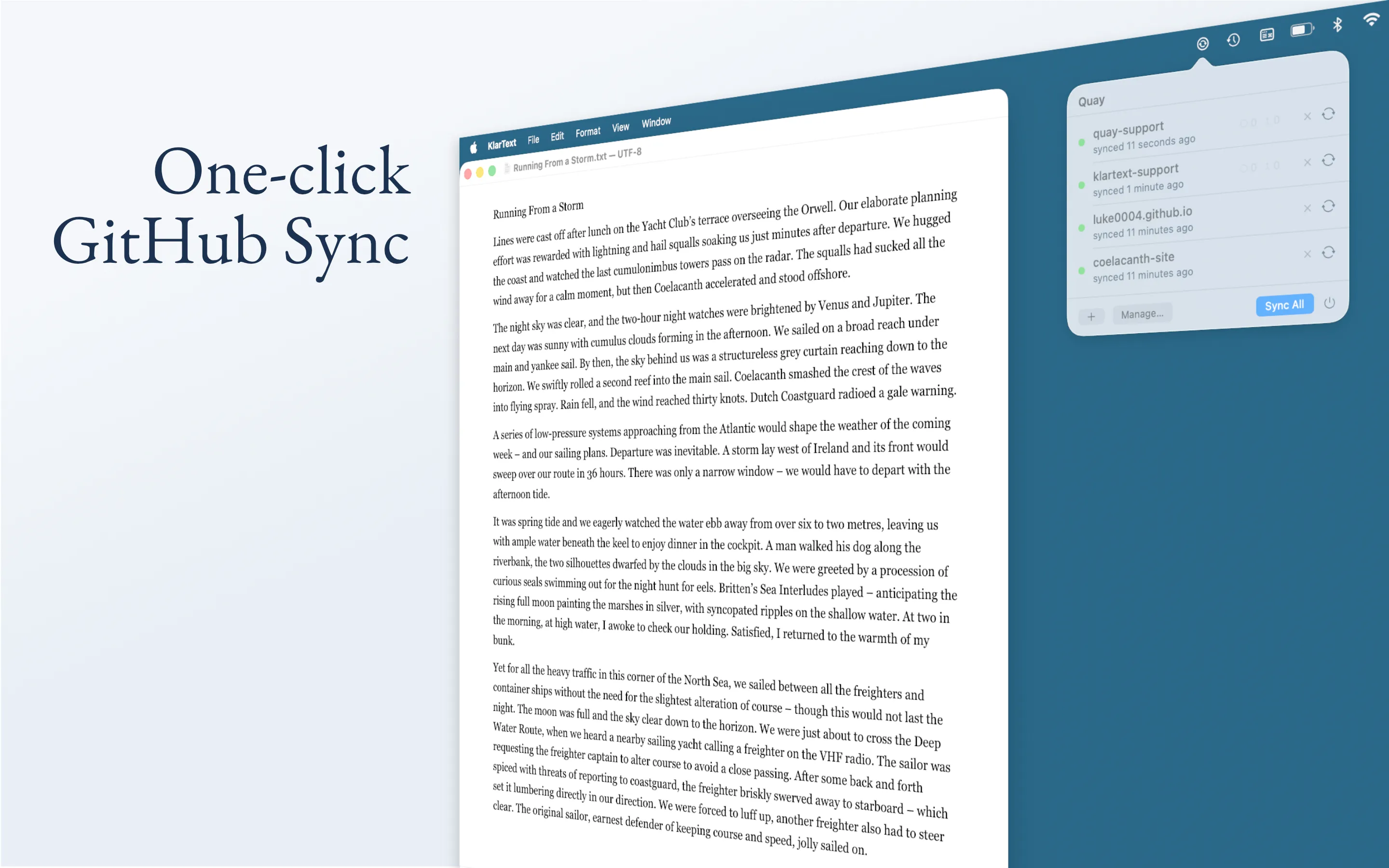
Why a one-click sync app
The terminal is a very useful tool. Isn’t it surprising that we still use it in times of AI? Even Claude Code feels most capable in the terminal and not in a UI window that restricts his elbow room, he told me. And besides, we do not want to lose our chops, right? A little grep here, a sprinkle of rm there, et voilà!
Until I get thirsty and want to finish work. A commit turns into an expedition into the rebase man page. That’s the moment I want a menu bar item. Nobody watching? One click. Quay pushes. The folder’s on GitHub. Vercel deploys. Cheers!
Quay is around 7 MB of native code, runs only as a menu bar item, blocks anything larger than 50 MB before staging, and refuses to push any file matching a secrets-pattern list (.env, .env.*, *.pem, *.key, id_rsa, *_rsa, *.p12, *.pfx). It shells out to the same git binary that ships with Xcode.
I wrestled with Apple’s sandbox, endured three App Store rejections, and got my GitHub account suspended.
A sandboxed app walks into /usr/bin/git
Inside a sandbox, an app starts with nothing. Each thing it wants to touch – a file, the network, a binary on disk – has to be granted explicitly.
A sandboxed app shelling out to git sounds straightforward. It isn’t. /usr/bin/git doesn’t actually exist on modern macOS – at least not as git. The file at that path is a 118 KB xcrun shim. It looks at its argv[0], finds the matching tool in the active Command Line Tools or Xcode developer directory, and execs it. xcrun cannot run inside an App Sandbox: every invocation fails with xcrun: error: cannot be used within an App Sandbox. So Quay is a Git client that, by default, cannot call git.
The fix is to bypass the shim. Platform.resolveGitPath() checks /Library/Developer/CommandLineTools/usr/bin/git first (the standalone CLT install), then falls back to /Applications/Xcode.app/Contents/Developer/usr/bin/git. If neither exists, onboarding prompts the system CLT installer via xcode-select --install and waits for the user to come back.
The shim cannot run. Fix: locate the real CLT binary and call it directly. With the real binary in place, git fetch against a private repo hangs forever. Git needs to ask for a username, and the only mechanism it knows – interactive prompt on a tty – finds no tty. So it waits, patiently, indefinitely. Fix: GIT_TERMINAL_PROMPT=0, set on every Process. Git will now fail loudly when it would have asked, instead of hanging silently. Now, every authenticated operation fails with “could not read Username for https://github.com”. Fix: supply one via an environment variable and an external helper script that lives only for the duration of the call.
Please not another rejection
Apple rejected Quay three times. Not because the reviewers found an issue in Quay. But because they never got to test it at all.
Apple’s rejection: “We are unable to successfully access all of the app … we need a demo account (Access Token) to verify all of the app features and functionality.” My bad. Create one, resubmit.
Quay’s primary onboarding flow is OAuth Device Flow, the obvious choice for a sandboxed Mac app. No client_secret to protect, no callback URL to register, browser handoff via NSWorkspace.shared.open(url), polling at the interval GitHub returns. But GitHub’s implementation of Device Flow includes device verification. A sign-in from an unfamiliar machine triggers a 2FA challenge against the account’s primary device – typically the user’s phone. For a real user, that is exactly right. For an App Store reviewer signing in to a demo account from a machine the account has never seen, it is a closed door. Fix: instead of OAuth, provide a personal access token in the App Store Connect review notes.
The third rejection was easy to fix. A ⏻ glyph not recognised as Quit was replaced with a labelled “Quit” text button. Accepted. Quay is in the App Store!
I can’t use it anymore
Because my personal GitHub account was suspended. No explanation given, no response from support. My guess is that the pattern of authentication testing during Device Flow development tripped GitHub’s automated abuse detection. I’ll never know. The account is still suspended.
I built Quay, a one-click sync to GitHub. But I don’t have a GitHub account anymore.
Postscript
On 15 July 2026, four months after contacting GitHub support, an email arrived: “Upon review, we’ve cleared the restrictions from your account, so you have full access to GitHub again.”
Their abuse-detecting systems had flagged the account for manual review, which is more or less what I had guessed. I have a GitHub account again.